Product introduction
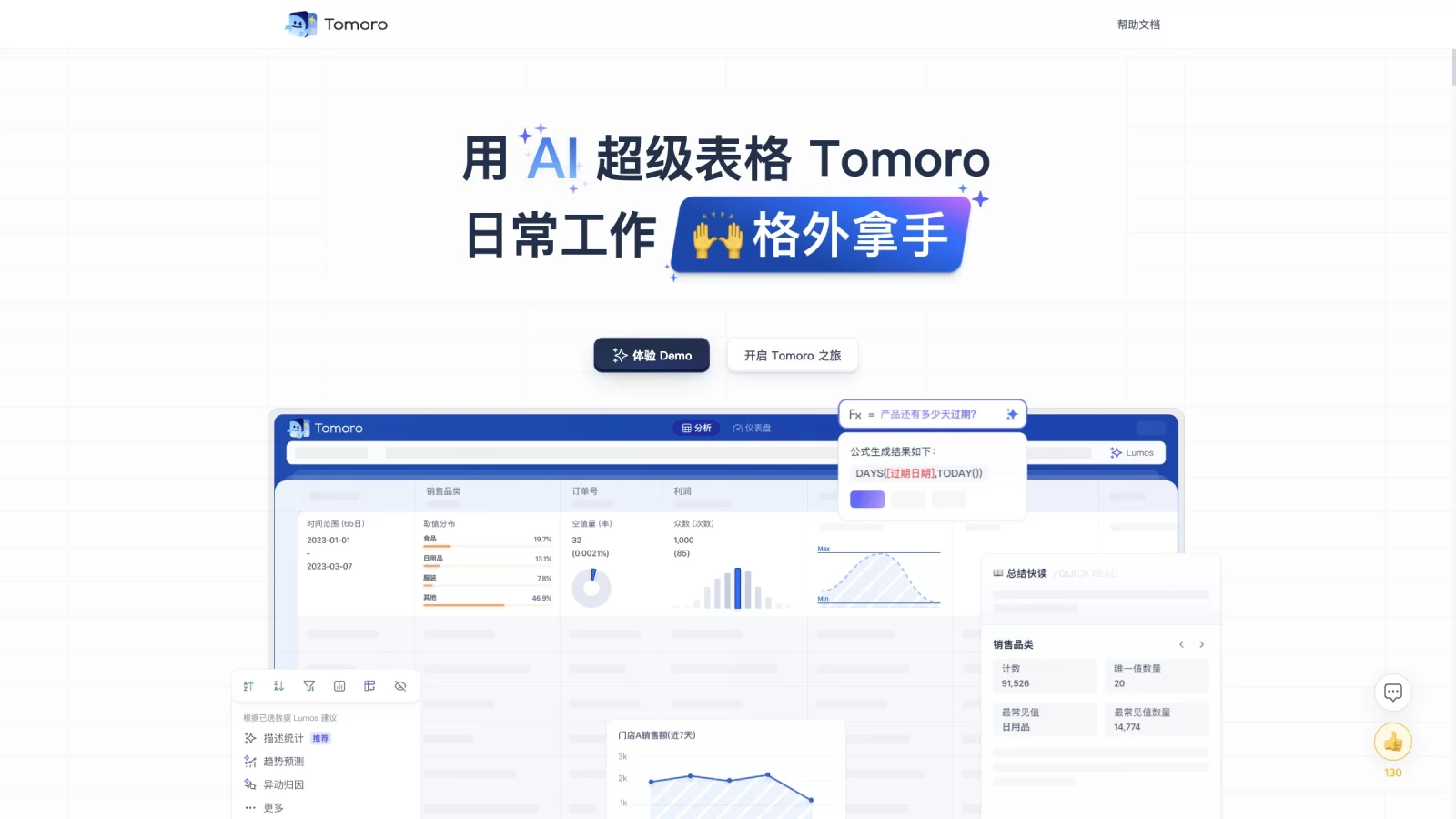
Tomoro is an AI-native big data analysis platform, evolved from Tencent's WeTable. It lowers the technical barrier to data exploration through a familiar spreadsheet interface, enabling users to easily uncover business value within billions of records. Both non-technical business staff and professional data analysts can perform end-to-end self-service analysis—including data ingestion, cleaning, and deep insights—without writing code.
Combining classic spreadsheet operations with intelligent analysis, Tomoro supports seamless multi-source data integration and efficient collaboration. Its built-in AI assistant, Lumos, provides smart guidance and suggestions. Features like one-click pivoting and automatic function adaptation make complex data processing intuitive, accelerating data-driven decision-making.
Key Features
- Multi-Source Data Integration: Connects in real-time to business databases like MySQL and StarRocks, while supporting local Excel files and table extraction from images. Users can unify and analyze cross-source data in a single workspace without tedious downloads or format conversions.
- Smart Column Feature Preview: Displays core statistics such as count, distinct values, sum, average, min/max, and null rates at the top of each column for instant global data overview. Retains Excel-like one-click grouping and pivoting with rapid response even for billion-row datasets.
- Natural Language & Formula Analysis: Powered by the AI assistant Lumos, users can describe needs in natural language to automatically execute filtering, grouping, sorting, and visualization. It also supports common Excel functions like AND, SUM, IF, and VLOOKUP to reduce learning curves.
- AI-Assisted Insights: Lumos automatically generates summaries, exploration suggestions, and related questions based on real-time data, guiding users toward deeper and more efficient data mining.
- Permission Management & Collaboration: Offers multi-level permission controls and allows sharing of data tables, charts, and reports via links. This ensures secure data flow among team members, meeting the collaboration needs of various organizational levels.
Use Cases
- Business Metric Monitoring: Business users can quickly build multi-dimensional analysis models using drag-and-drop and AI assistance to identify key metrics for daily operational decisions.
- Data Analysis Efficiency: Analysts can leverage automated data processing and reporting features to minimize repetitive manual tasks, focusing instead on high-value deep analysis and strategy formulation.
- Project Progress Management: By importing project data, users can quickly preview requirements, member participation, and core progress, using data insights to identify potential risks and bottlenecks.
- Investment Trend Analysis: Suitable for stock trend analysis and investment return calculations. By importing historical market data, users can leverage AI for trend prediction and quantitative analysis to support investment decisions.
- Team Data Sharing: Promotes data transparency and result sharing across departments while ensuring security, breaking down data silos and improving overall collaboration efficiency.